Eight analog-inspired voices
Polyphonic allocation, overlapping releases, pitch bend, velocity and voice stealing make the instrument equally useful for basses, chords, leads and moving pads.
24REC DEVICE 07 / v0.2.0
Polyphonic Semi-Modular Synth
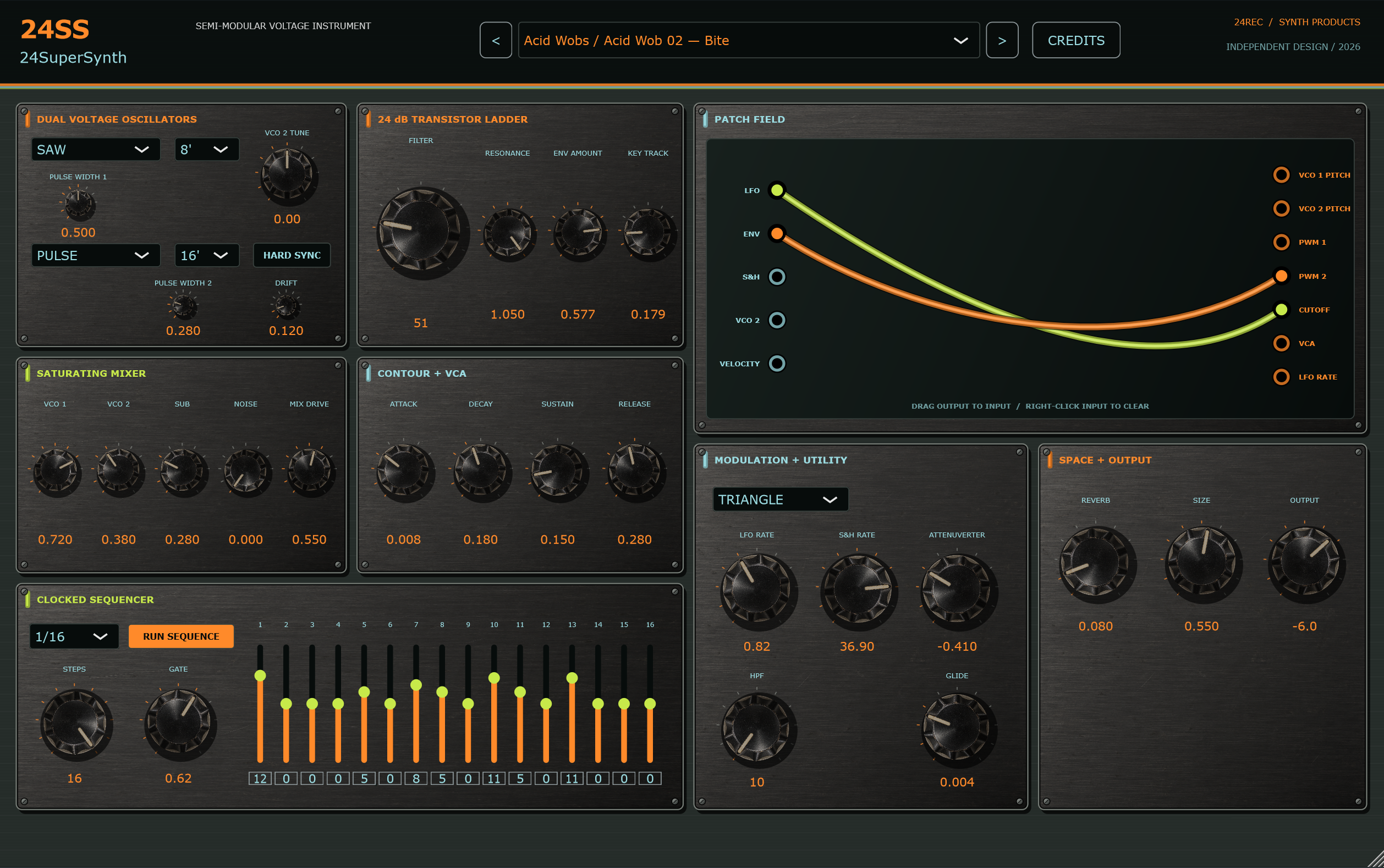
24SS 24SuperSynth turns a classic patchable signal flow into an original 24REC instrument. Its normalled architecture makes it playable immediately, while the animated patch field opens pitch, PWM, filter, VCA and clock modulation without leaving the front panel.
Polyphonic allocation, overlapping releases, pitch bend, velocity and voice stealing make the instrument equally useful for basses, chords, leads and moving pads.
Saw, pulse, square and triangle waveforms use band-limited edges, with independent octave ranges, pulse width, analog tolerance, drift and oscillator hard sync.
A driven mixer feeds a four-stage 24 dB transistor-ladder model with nonlinear resonance feedback, followed by VCA, utility HPF and stereo ambience.
Drag dimensional cables between illuminated jacks. Bezier sag, highlights and smooth movement give every visible route a tactile hardware presence.
An audio-rate-capable LFO, sample and hold, attenuverter, glide and a host-synchronised 16-step sequencer cover subtle motion through aggressive rhythmic modulation.
Thirty-one presets span Acid Wobs, Rumble Bass, Tech House, Dub, Hypnotic and Raw Techno, Trance Sequences, Arps, Leads, Pads, percussion and FX.
From input to intent
Windows x64 / VST3
01 Download and extract the ZIP archive.
02 Copy the complete .vst3 folder to C:\Program Files\Common Files\VST3\.
03 Restart your DAW and rescan VST3 plugins if needed.
04 The included standalone application can run without DAW installation.
24SS is an original 24REC instrument inspired by the general workflow of classic patchable synthesizers. It is not affiliated with or endorsed by Behringer or any other hardware manufacturer.