Direct USB or DIN MIDI
Choose a hardware MIDI output and channel 1–16, or use host MIDI output where your DAW supports it.
24REC DEVICE 08 / v2.8.1
PRO-800 MIDI Controller
Bring the PRO-800 into your DAW workflow. 24PRO800 puts the mapped synth controls, four program banks and a pitch sequencer on one hardware-inspired panel. It controls the physical synthesizer over MIDI; connect the synth audio outputs to your audio interface to hear it.
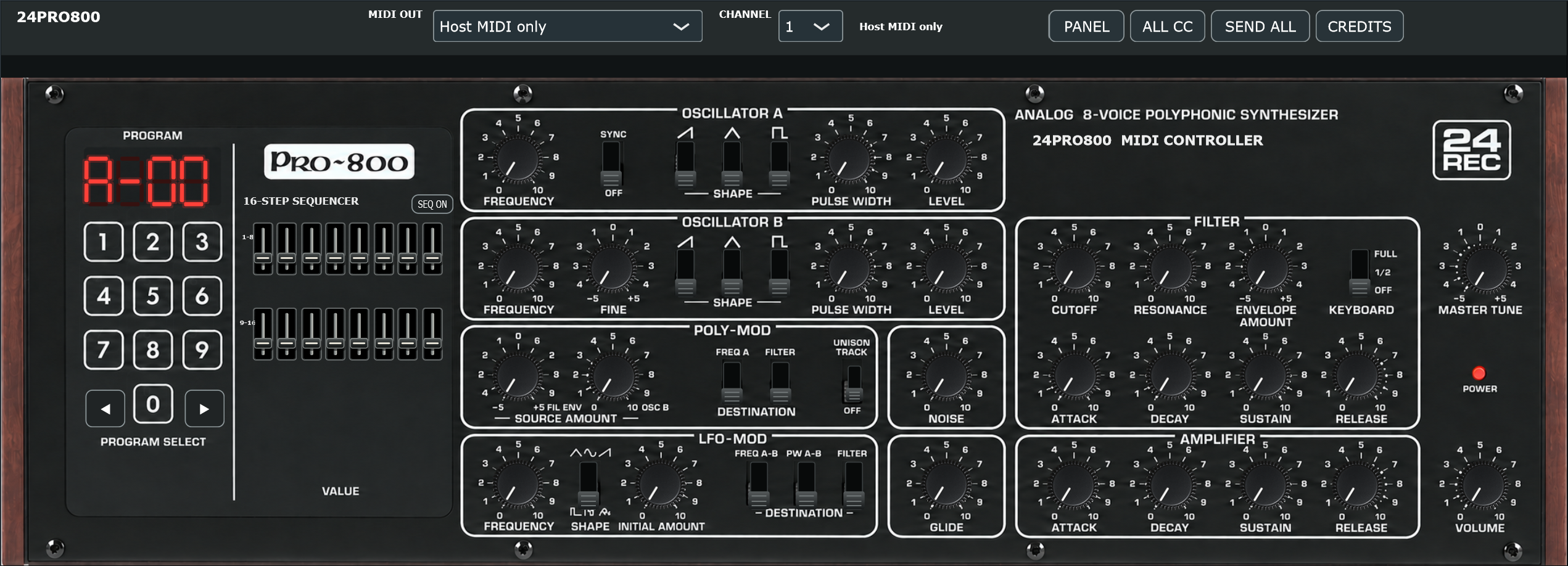
Choose a hardware MIDI output and channel 1–16, or use host MIDI output where your DAW supports it.
Forward notes, velocity, sustain, pitch bend and aftertouch from your DAW to the selected hardware port.
Mapped oscillator, filter, envelope and modulation controls are exposed as plugin parameters. SEND ALL sends the current panel values.
Browse A–D and programs 00–99. Preset recall requests the hardware patch over SysEx and updates mapped panel controls.
Two rows of eight pitch faders follow DAW sixteenth notes, with 120 BPM operation in the standalone application.
Save plugin control state, MIDI channel, output port and selected bank/program with your DAW project.
From input to intent
Windows x64 / VST3
01 Download and extract the ZIP archive.
02 Copy the complete .vst3 folder to C:\Program Files\Common Files\VST3\.
03 Restart your DAW and rescan VST3 plugins if needed.
04 The included standalone application can run without DAW installation.
Requires a Behringer PRO-800. The plugin produces no synth audio itself. In FL Studio, load it in the Channel Rack as a generator. Independent software by Marko Damjanovic / MARCOD, not affiliated with or endorsed by Behringer.