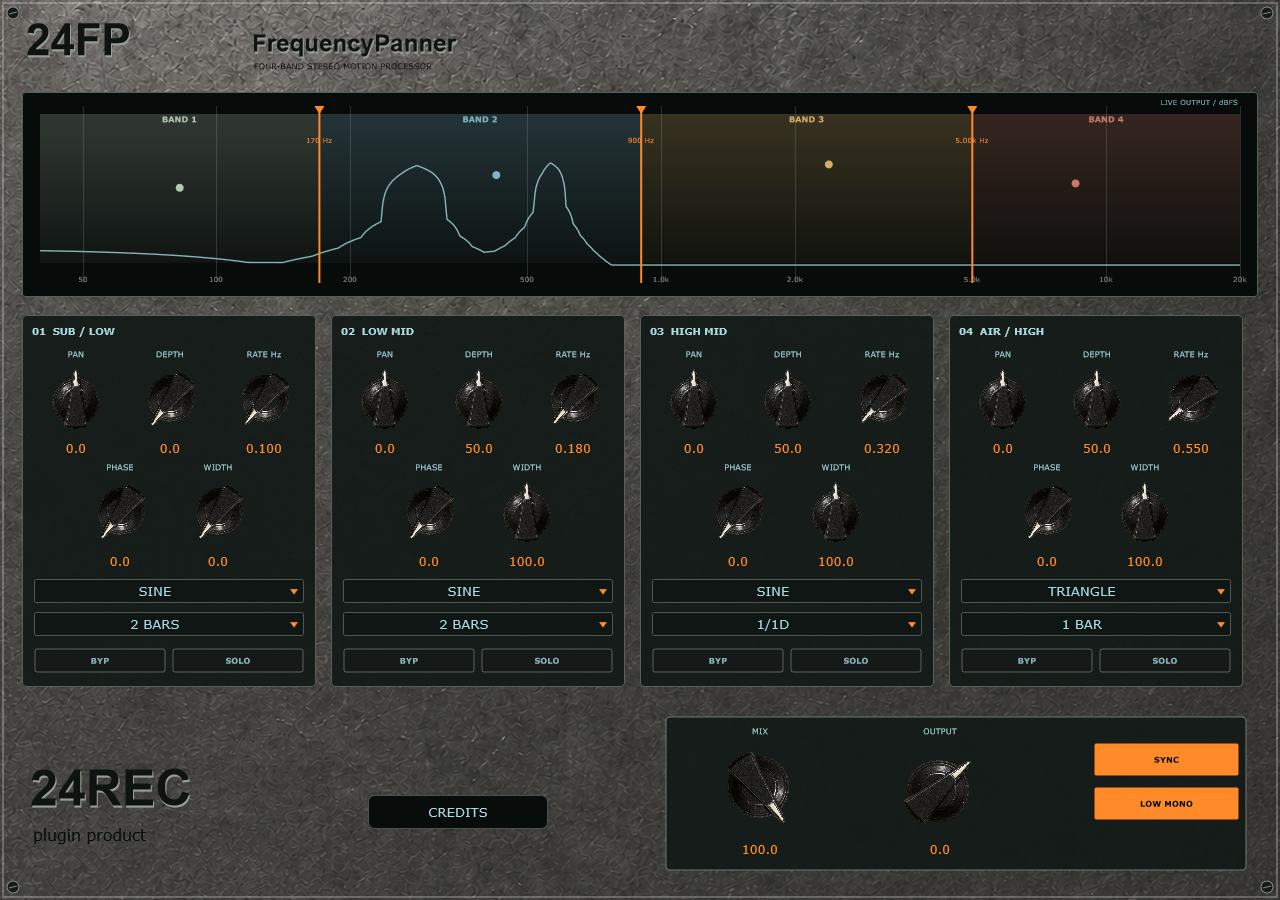
Four adjustable bands
Drag three crossover markers to choose where each region begins and ends. The initial patch places them at 170 Hz, 900 Hz and 5 kHz.
24REC DEVICE 05 / v0.1.1
Multiband Autopanner
24FP FrequencyPanner divides stereo audio into four adjustable bands, each with its own pan centre, depth, rate, phase, width and LFO shape. Use it to add slow movement to a synth pad, rhythmic width to a loop, or contrasting motion above a stable mono low end.
Drag three crossover markers to choose where each region begins and ends. The initial patch places them at 170 Hz, 900 Hz and 5 kHz.
Set pan centre, depth, modulation phase and stereo width separately for each band, then combine their movement into a single effect.
Follow host tempo with straight and dotted divisions, or switch Sync off and choose free-running rates from 0.01 to 12 Hz.
Choose sine, triangle, square, rising saw, falling saw or a repeating random stepped pattern. Sine and triangle give smoother movement.
Keep the lowest processed band mono and centred. The initial patch moves the upper bands at 50% depth over 2 bars, 1/1D and 1 bar.
See the frequencies playing in the stereo output alongside the crossover markers and band-motion indicators. Mix and Output set the final blend and level.
From input to intent
Windows x64 / VST3
01 Download and extract the ZIP archive.
02 Copy the complete .vst3 folder to C:\Program Files\Common Files\VST3\.
03 Restart your DAW and rescan VST3 plugins if needed.
04 The included standalone application can run without DAW installation.
New instances use the revised initial patch; saved sessions keep their settings. Phase Guard was removed in v0.1.1. BYP excludes a band from the wet sum in this version. Sync follows tempo without resetting motion to the host bar position.